Bubble Tea
What it is
Section titled “What it is”Bubble Tea is the leading modern TUI framework for Go — a small, opinionated runtime that organizes a terminal application as The Elm Architecture: a single Model struct holds all state; Init returns a startup command; Update(msg) returns a new model plus an optional command in response to events (keypresses, mouse, tick, async results); View() renders the model into a string the runtime diffs against the screen. The framework owns the event loop, the alt-screen / inline-mode switch, keyboard and mouse input, focus, terminal color downsampling, and the renderer; the application code stays declarative and pure-functional. It composes naturally with Lip Gloss for styling and Bubbles for ready-made components (text inputs, lists, tables, viewports, spinners, progress bars).
Key takeaways for KN-86
Section titled “Key takeaways for KN-86”- The Elm Architecture is the right structural model for the Deckline application. Single source of truth for app state, message-driven updates, pure render function. Maps cleanly onto how the KN-86 hardware reality has to work too: keyboard events become
Msgs, the runtime state machine is theModel, and the screen isView(). This is the spine. - Cell-based renderer with diff. Bubble Tea doesn’t redraw the whole screen; it diffs the new render against the previous one and patches what changed. That’s the right discipline for the Deckline’s 80×25 grid — fast enough on a Pi Zero 2 W, and the same render pipeline works identically on the desktop emulator.
- First-class event types.
tea.KeyMsg,tea.MouseMsg,tea.WindowSizeMsg, customtea.Msgfor async results,tea.Cmdfor I/O. KN-86 already needs an event-dispatch model (seedocs/software/runtime/input-dispatch.md); Bubble Tea’sMsgtaxonomy is the right reference. - Composable child models. Bubble Tea apps grow by nesting
Models — the parent’sUpdatedelegates to children for the focused subtree, propagates returned commands. That’s the right model for the Bare Deck Terminal’s tab system, mission-board surfaces, cart-content panes — each is its own self-containedModelthe parent composes. - Inline + alt-screen modes. Bubble Tea can run inline (inside the terminal’s scrollback) or take the alt screen (full-screen takeover). KN-86 always runs full-screen on device but the desktop emulator could plausibly use inline mode for debug overlays.
- Production-tested across many real apps. Glow, Soft Serve, Wishlist, Gum, Charm-internal tooling — Bubble Tea is the Go TUI framework in 2026, not a hobby project. Adopting it is buying durability, not a bet.
Hardware-side note
Section titled “Hardware-side note”Bubble Tea targets Unix terminals via crossterm-style escape sequences. On the KN-86 hardware the “terminal” is a Linux VT on the Pi Zero 2 W driving an Elecrow 7″ panel through the framebuffer; from Bubble Tea’s perspective that’s just another terminal. No special integration needed beyond setting TERM correctly and possibly a tiny init script to set the kiosk-mode VT.
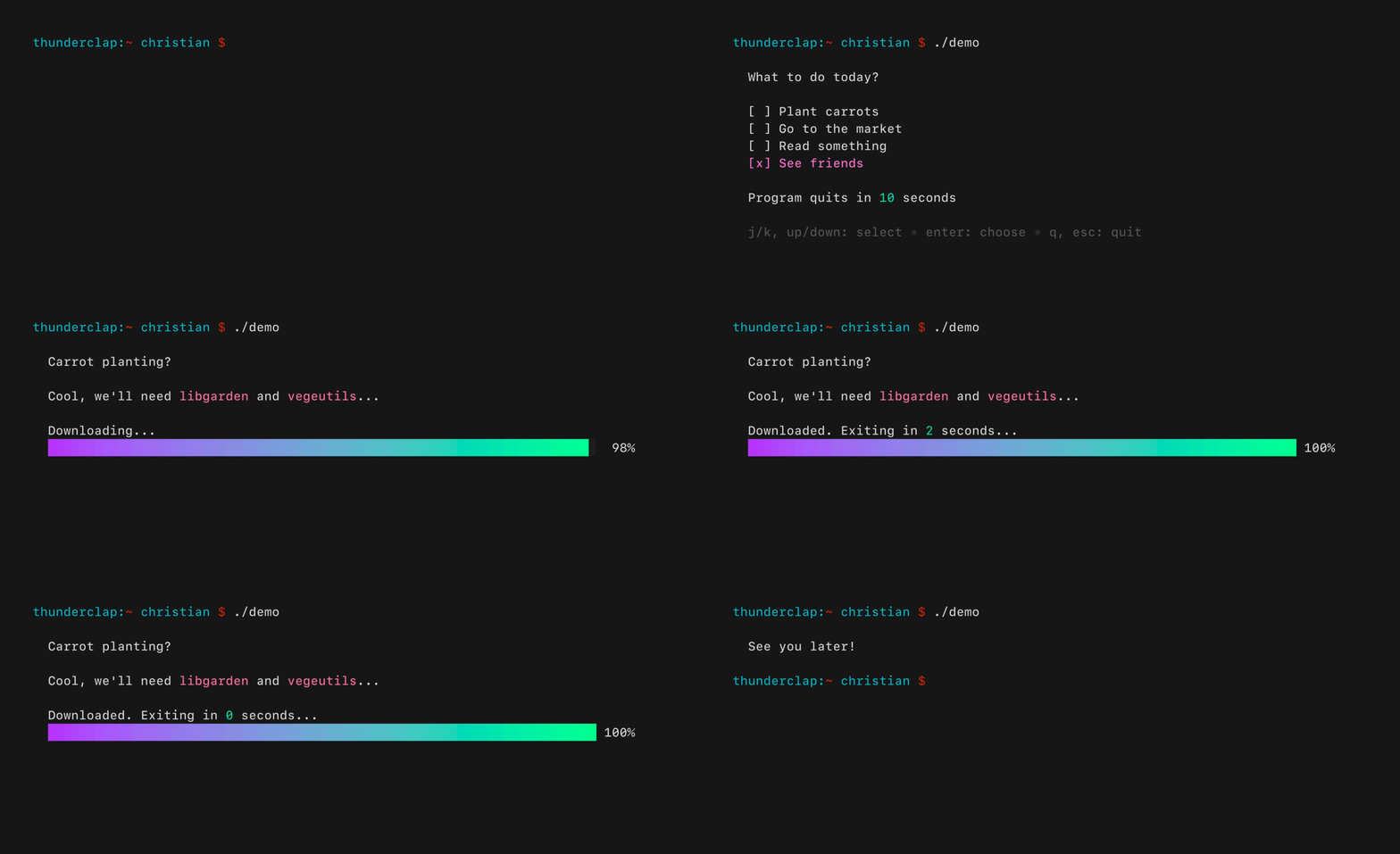
Source: Bubble Tea README hero animation (stuff.charm.sh/bubbletea/bubbletea-example.gif). Shows the canonical pizza-order example — list selection, focused row highlight, keyboard navigation.
- Pair with Lip Gloss + Bubbles by default (lip-gloss.md). Bubble Tea handles state + events; Lip Gloss handles styling; Bubbles ships pre-built common components (text input, list, table, viewport, spinner, progress, paginator, key help). For KN-86 the Bubbles
keyandhelpcomponents are particularly valuable — they implement the in-band keystroke-legend pattern called out across the Batch-1 inspiration set (Vehicle TUI Concept, NetWatch). - Charm.land redirect note — the README now points at
charm.land/bubbletea/v2rather thanpkg.go.dev. The project is actively maintained. - Reference apps to read —
glow,gum,soft-serve(Charm’s own), plus several Batch-1 inspiration apps target Bubble Tea or its sibling framework: Golazo (../inspiration/golazo.md), cliamp (../inspiration/cliamp.md), octoscope (../inspiration/octoscope.md). Reading them gives a sense of what the architecture looks like at scale.